Pages built for an instant open
Custom-coded pages served from the edge, 90+ Google PageSpeed on every page, on every plan.
Every plan
The site
Playbooks on structure and search
02AreasThe eight shapes of market, and the page each one gets
03Search this siteEvery page, service, area and article
04Compare optionsGoHighLevel, WordPress, Wix, freelancers and more
05Case studiesTwenty real builds, in the client's words
06FAQAnswers on the offer
07AboutWho builds it
08ContactTalk to a person
09How it worksFrom onboarding to launch
Shape of market
Preview
A downtown page is organized by building, not by postcode, because a search for a tower is a search for one address.
The page carries
Preview
A subdivision page wins on the name of the subdivision, so the name is the h1 and everything else hangs off it.
The page carries
Preview
A shoreline page carries the facts a waterfront purchase turns on, because those are the searches that reach it.
The page carries
Preview
A new construction page is a release schedule, so it is built to be edited every time a phase opens.
The page carries
Preview
A land page answers the questions a parcel raises before anyone asks for a showing, because a showing is a long drive.
The page carries
Preview
A relocation page is read from another state, so it explains the market rather than assuming it.
The page carries
Preview
A historic district page has to carry the rules, because the rules are what a buyer there is searching for.
The page carries
Preview
An entry band page is organized by price and by program, because that is the shape of the search behind it.
The page carries
GetRealtorWebsite for individual agents and small teams
A managed, custom-coded website for individual real estate agents and small teams: live in 7 days, structured around the areas you serve, 90+ PageSpeed, weekly updates, researched articles and hosting included, from one monthly fee.

| Area you serve | What is built there | Status |
|---|---|---|
| Brookhaven | Area page, listings, one article | Live |
| Cedar Ridge | Area page, listings | Live |
| Old Mill District | Area page, drafted | In review |
A structure built during onboarding from the areas you name, not a directory pulled from a portal.
What agents tell us they wanted
“They built the FAQ from our actual buyer area inquiries correspondence. Each answer was reviewed by our own staff, so the page sounds like us rather than a copywriter. The phone calls about basic buyer area inquiries details have noticeably thinned out.”
The $797 build fee is invoiced only after you have seen and approved the live site.
90+ Google PageSpeed on every page, guaranteed in writing.
Your domain is registered in your name, and moves with you if you change brokerages.
No minimum term. Cancel by email with 2 business days notice before your next invoice.
We build websites. We are not a licensed real estate agent, broker or brokerage, and your site never gives valuation advice.
The problem
A brokerage-provided template looks the same as every other agent at the firm, with your name swapped in.
There is no page for the towns you actually farm, so a search for those areas finds a portal instead of you.
A listing takes days to appear because updates go through a marketing department instead of straight to the site.
Inquiries land in an inbox nobody checks between showings, instead of routing into a CRM.
The answer
A site built around your name and the areas you actually serve, with a page for each one and a direct path from a search to a showing request.
That is the whole brief: your listings, your areas, your process, presented as one coded site rather than a template with your details filled in.

The cost of doing nothing
Leads, mostly. Not in one dramatic loss, but in the call nobody answered, the paid click that bounced and the town search a portal won instead of you.
A caller who reaches voicemail often rings the next agent on the list. Every missed call after hours or mid-showing is a conversation someone else gets to have first.
If you run ads to a slow listing page, you pay for every click, including the people who leave before the photos load.
Without a real page for each area you serve, a search for that town lands on a national portal, which then sells that attention back to agents.
Every hour spent fixing a plugin or formatting a listing page is an hour not spent with a client or on the phone.
A site owned by a brokerage, or built on its template, usually has to start again when you move. Your history and your links go with it.
Signature structure
Your homepage is the interchange. Each area you serve runs as its own line out to a station, and every station splits to the listings and the article that belong there. That is the whole local search argument, drawn as the routes it actually runs.
Every area you name in onboarding runs as its own route, described by geography, housing type and amenities.
Listings and articles sit at the end of the line they belong to, so relevance builds around the pages that generate an inquiry.
Area copy describes geography and housing type only, never the people who live there, in line with fair housing rules.
What ships on the site
A site built for listings, areas and inquiries, then kept current for you. Each feature shows the plan that carries it.
See every featureCustom-coded pages served from the edge, 90+ Google PageSpeed on every page, on every plan.
Every plan
One page per area you actually work, connected to the listings and articles that belong there.
Every plan
A dedicated page for each active listing, with a layout built for photography and specifics.
Every plan
2 researched, cited articles a week on The Listing and The Territory, 3 on The Portfolio, each 2,500 to 3,200 words.
Every plan
A third article every week, 3 social posts and 2 reels a week, and your Google Business Profile kept current.
The Portfolio
Global edge hosting with SSL, CDN and DDoS protection included, never itemized.
Every plan
While you are at a showing
On The Territory and The Portfolio, calls, chats, texts and social messages are answered in your business's name, questions are handled, and appointments are booked into your calendar. Anything that sounds like advice goes to you. On every plan, inquiries land in your CRM.

Answers your business line when you are in a showing, takes the details, books the appointment and sends you a summary.
The Territory, The Portfolio
A trained chat agent on your site that answers common questions and books a showing while you are with a client.
The Territory, The Portfolio
Answers text messages and social DMs in minutes and books appointments, with the SMS registration filed for you.
The Territory, The Portfolio
Showing requests and contact forms land where you already work, by API, Zapier or Make.
The Listing, The Territory, The Portfolio
Speed and ad cost
Because you pay for the click, not the visit. A page that loads fast keeps more of the people you paid for, and Google counts landing page experience when it judges your ads, which can help lower what each click costs. We do not promise a specific drop: your bids, keywords and competition decide that too.
Custom-coded pages with almost no client-side script, served from a global edge network. Photo-heavy listing pages included.
When a page opens quickly, fewer of the people you paid to bring there leave before they see it.
Google says landing page experience is one of the things it looks at when judging ad quality, and that higher-quality ads can often lead to lower costs per click. Google describes Quality Score itself as a diagnostic tool, not an input to the auction.
Clear headings, big tap targets and a showing request that takes seconds on a phone. Speed that loses the visitor to a confusing page is wasted.

Search, answers and AI assistants
Through four layers built into every page on every plan. You do not configure any of them.
Technical SEO (speed, clean code, sitemaps, canonical URLs) and on-page SEO (titles, headings, internal links) on every page, plus a location page for every town, neighborhood or ZIP code you work. Those area pages are how an independent agent earns local searches that would otherwise go to a portal.
Answer engine optimization: the first sentence under every heading answers it, and FAQ blocks carry full answers to the questions buyers and sellers actually ask. That is the shape featured snippets and voice assistants lift.
Generative engine optimization: an llms.txt file, the same name, areas and services stated the same way everywhere, and plain facts an assistant such as ChatGPT, Claude, Perplexity or Google AI Overviews can cite. Nobody can guarantee a mention in an AI answer; this makes one more likely.
JSON-LD that tells search engines what each page is: your business, your services, FAQPage where questions are shown, BreadcrumbList for navigation, and Review markup only for real reviews you have permission to publish.
Before and after
How it works
About 15 minutes: your listings, the towns you serve, your brand, your brokerage and license details, and where inquiries should land. Anything missing can follow by email or through the portal.
We confirm your areas, your CRM, your AI scripts if your plan has them, and your launch date. Then the build starts.
7 days on The Listing, 10 on The Territory while the AI is trained and the SMS registration is filed, 15 on The Portfolio once the content calendar is set. You review it, then the build fee is invoiced.
5 revisions a month through your portal, each done within 2 to 5 working days, researched articles every week, and hosting, security and speed looked after on our side.
What clients say
Each one names the agent type, the market and exactly what was built, so you can find the situation closest to yours.
“The part I rate most highly is the form, not the visuals. Every submission arrives with preferred area, property needs and moving timeframe filled in, which used to take us a second email to obtain. Most mornings I can prepare for the callback from the first message alone.”
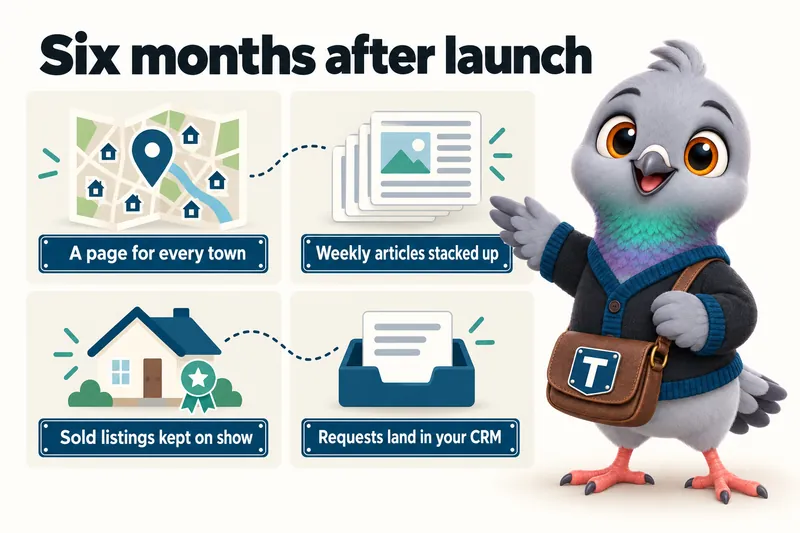
Six months in
Plans start at $137 a month. Set that against the separate bills and hours it covers:
Pricing
A flat monthly fee per plan, plus a $797 one-time build fee invoiced only after your site is live and approved.
The Listing
The website, fully managed
$137/ month
Live in 7 days
The Territory
Everything, plus the AI Engine
$297/ month + usage
Live in 10 days
The Portfolio
Everything, plus the Content Engine
$747/ month
Live in 15 days
Every plan includes a free domain in your name, managed hosting, 5 revisions a month and a 90+ PageSpeed guarantee. AI usage on The Territory and The Portfolio is billed at cost, with no markup.
Plan by plan
Every feature, and the plan that carries it. The Territory and The Portfolio include everything in the plan before them.
| Feature | The Listing$137/ month | The Territory$297/ month + usage | The Portfolio$747/ month |
|---|---|---|---|
| The website | |||
| Pages built for an instant openA buyer taps your listing link at a red light and leaves before the photos load. | Included on The Listing | Included on The Territory | Included on The Portfolio |
| Listing pages that read like a real estate site, not a templateYour listings live only on a portal or brokerage system and vanish from your own site once they close. | Included on The Listing | Included on The Territory | Included on The Portfolio |
| The legal and compliance pages a real estate site needsA DIY site launches with no privacy policy, a cookie banner that blocks nothing, and no brokerage disclosure. | Included on The Listing | Included on The Territory | Included on The Portfolio |
| Catching every lead | |||
| Inquiries routed straight into your CRMShowing requests sit in an inbox nobody checks between appointments. | Included on The Listing | Included on The Territory | Included on The Portfolio |
| The AI Engine: chat on your siteA buyer with a quick question at 9pm gets no answer and moves on to the next agent. | Not on The Listing | Included on The Territory | Included on The Portfolio |
| An AI receptionist for the calls you cannot takeYour phone rings during a showing or a closing, and the caller rings the next agent on the list. | Not on The Listing | Included on The Territory | Included on The Portfolio |
| AI replies on SMS, Facebook Messenger and Instagram DMsA message about a listing sits unanswered for hours on Instagram, and the lead goes cold. | Not on The Listing | Included on The Territory | Included on The Portfolio |
| Being found | |||
| A site structured around the areas you serveA search for the towns you farm finds a national portal, not you. | Included on The Listing | Included on The Territory | Included on The Portfolio |
| A managed Google Business ProfileYour Google Business Profile still shows an old brokerage, an old photo and no recent posts. | Not on The Listing | Not on The Territory | Included on The Portfolio |
| SEO, answer engines and AI assistants, built into every pagePeople ask Google, voice assistants and AI chat about agents in your town, and your site gives them nothing clean to quote. | Included on The Listing | Included on The Territory | Included on The Portfolio |
| Content that keeps publishing | |||
| Researched articles, published every weekYour blog has not been touched since the site launched, and there is no time to write. | Included on The Listing | Included on The Territory | Included on The Portfolio |
| The Content EngineYou know you should post every week, and every week the listings win. | Not on The Listing | Not on The Territory | Included on The Portfolio |
| Run for you | |||
| Hosting, security and speed, managedA separate hosting bill, an SSL certificate that lapses, and a site that falls over when a listing goes viral. | Included on The Listing | Included on The Territory | Included on The Portfolio |
| A move from your current site that keeps what it earnedSwitching sites means broken links in old posts and lost rankings for the pages that worked. | Included on The Listing | Included on The Territory | Included on The Portfolio |
| Revisions and a portal built for how you actually workEvery change to your site means a request to someone who gets to it eventually. | Included on The Listing | Included on The Territory | Included on The Portfolio |
| The terms | |||
| Researched articles a week | 2 | 2 | 3 |
| Live in | 7 days | 10 days | 15 days |
| Revisions a month | 5 | 5 | 5 |
| One-time build fee, after launch | $797 | $797 | $797 |
AI usage on The Territory and The Portfolio is billed at what our provider charges us, with no markup. SMS carrier fees are passed through at cost. Every feature, explained
Guarantees
Every page we build and host scores 90+ on Google PageSpeed, mobile and desktop. If a page falls below it because of our work, we fix it at no charge.
Your site starts ranking for local searches in your area within 3 to 5 months of launch. If it has not, we keep doing the search work at no additional charge until it does.
The $797 build fee is invoiced only after your site is live and you have confirmed you are satisfied with it.
The limits, in plain words: neither guarantee covers changes you or third parties make, content published against our advice, or rankings for terms outside your area or services. Neither is a refund; the remedy is the corrective work. The full wording is in the terms and conditions.
Comes with your site
All of these, on every plan. They help you meet your obligations and are built with the rules in mind. They are not legal advice, and your broker or attorney has the final word on your disclosures.
What your forms collect, why, and how a visitor reaches you about their data.
The ground rules for your site, written for a real estate business.
A banner that actually holds analytics and marketing scripts back until the visitor agrees.
Area and listing copy written with the federal Fair Housing Act in mind: places and homes, never people.
Your brokerage name and license number placed where state real estate commission advertising rules usually expect them.
Opt-in wording on text-enabled forms that matches your A2P 10DLC registration, which we file for you.
Built with WCAG 2.2 AA in mind: real headings, keyboard access, checked contrast, text alternatives on images.

Where we build
Yes. We build for agents anywhere in the United States, remotely, starting from one onboarding call. The same structure is designed to work in markets as different as suburban resale in Texas, waterfront and condo markets in Florida, luxury and coastal markets in California, fast-growing suburbs in Arizona and North Carolina, and land and acreage in Georgia.
What changes by state is handled in your copy, not left to chance: the brokerage and license details your state's advertising rules expect, the terms buyers there use, and area pages written for the towns you name. What does not change is the build: the same speed, structure and 7-day launch on The Listing.
How area pages are shaped for different marketsA solo agent needs a site built around one name and the areas that name is known in, rather than a page pulled from a brokerage template with your headshot swapped in.
02Buyer's agentsA buyer's agent site earns its keep by helping someone figure out where to look before they ever call, with area pages and a clear next step rather than a wall of active listings that change weekly.
03Small teamsA small team site works when it is organized around who does what, so a visitor understands whether they are talking to a listing specialist, a buyer's agent or the team lead, rather than scrolling a grid of interchangeable headshots.
04Luxury home specialistsA luxury listing sells on restraint: large photography, minimal copy and a presentation that does not compete with the property, which is a different brief from a high-volume, high-page-count site.
05New construction specialistsNew construction sells in phases and floor plans rather than single listings, so the site needs a structure for a community, its plans and its availability that a standard listing page cannot carry on its own.
06Relocation specialistsA relocation buyer is comparing towns they have never visited, so the site earns trust by describing each area in plain, factual terms rather than assuming local familiarity a local buyer already has.
Compared honestly
You might be right to. Each comparison says when the other option is the better fit, and how the two can work together.
The phrases that appear on most agent websites and should not, why they are a problem under the Fair Housing Act, and what to write instead.
What you actually own when you leave a brokerage-provided site, what you cannot take, and the redirect and migration work that keeps your search visibility intact.
Which schema types belong on an agent website, which produce a visible result, and the one piece of markup that will get your rich results removed.
Questions
A custom-coded website built around your name and the areas you serve: a home page, listing pages, one page per area you name, and every plan and legal page a real estate site needs, hosted and kept current for one flat monthly fee. The Listing starts at $137/ month, with The Territory and The Portfolio adding the AI Engine and the Content Engine.
7 days on The Listing, 10 on The Territory while the AI Engine is trained on your listings and areas, and 15 on The Portfolio once the Content Engine is scheduled. The clock starts at the onboarding call, not at purchase, so the sooner your onboarding form is in, the sooner you are live.
On The Territory and The Portfolio, it answers the call in your business's name, answers common questions about your listings and areas, takes the caller's details and books a showing or call back into your calendar. You get a summary and transcript of every call. It does not give pricing, valuation, financing or contract advice; anything like that is handed to you.
It can help, and it certainly wastes fewer of the clicks you pay for. Google says landing page experience is one of the factors it considers when judging ad quality, and that higher-quality ads can often lead to lower costs per click. A page that loads fast also keeps more visitors from leaving before they see it. We hold every page at 90+ on Google PageSpeed, but we do not promise a specific cost change, because bids, keywords and competition matter too.
Nobody can guarantee that, and anyone who does is overselling. What we do makes it more likely: every site ships an llms.txt file, consistent business details on every page, answer-first copy, visible FAQs and structured data, so an AI assistant has clean, attributable facts about you to quote.
Area and listing copy describes geography, housing type and amenities, never the people who live somewhere or which buyer an area suits. It is written with the federal Fair Housing Act in mind, and an Equal Housing Opportunity notice is included. We never offer opinions on where someone should buy.
No. One domain is included free for as long as your plan is active, registered in your name through Cloudflare Registrar or Spaceship, so you own it outright. If you already have a domain we point it at the new site instead and nothing changes for people who know your current address. If you ever leave, tell us where to send the domain and we transfer it at no charge.
No. We are a website design and management company. We are not a licensed real estate agent, broker or brokerage, and nothing on your site or in our copy is professional real estate, valuation or investment advice. That stays entirely with you and your clients.
Yes. Tell us in your client portal or by email and we schedule the change to take effect from your next invoice, so you are never charged twice for the same period. Moving up adds the AI Engine or the Content Engine to the same site; nothing is rebuilt from scratch.
Email us and say you want to cancel. Your message must reach us at least 2 business days before your next invoice date, during business hours, which are 9:00 to 17:00 Central Time, Monday to Friday. A message sent outside those hours counts from the start of the next business day, so a weekend email does not give 2 business days of notice for an invoice due Monday or Tuesday. With valid notice, no further invoice is raised and your site runs to the end of the month you have paid for. With late notice, the next invoice is charged as normal and the cancellation takes effect at the end of that month.
A live walk-through of the site you would get, on your screen, in about 30 minutes. Plans from $137 a month, $797 build fee invoiced only after launch, live in 7 days.
GetRealtorWebsite uses the cookies below. Necessary cookies keep the site working and cannot be turned off.
Saved on this device only. Press Esc to close.